

How to instal My Passpora App
Posted on November 23, 2026
Instructions for installing the My Passpora App to track your application.
To install the My Passpora App on your iPhone to track daily application updates, please follow the instructions below:
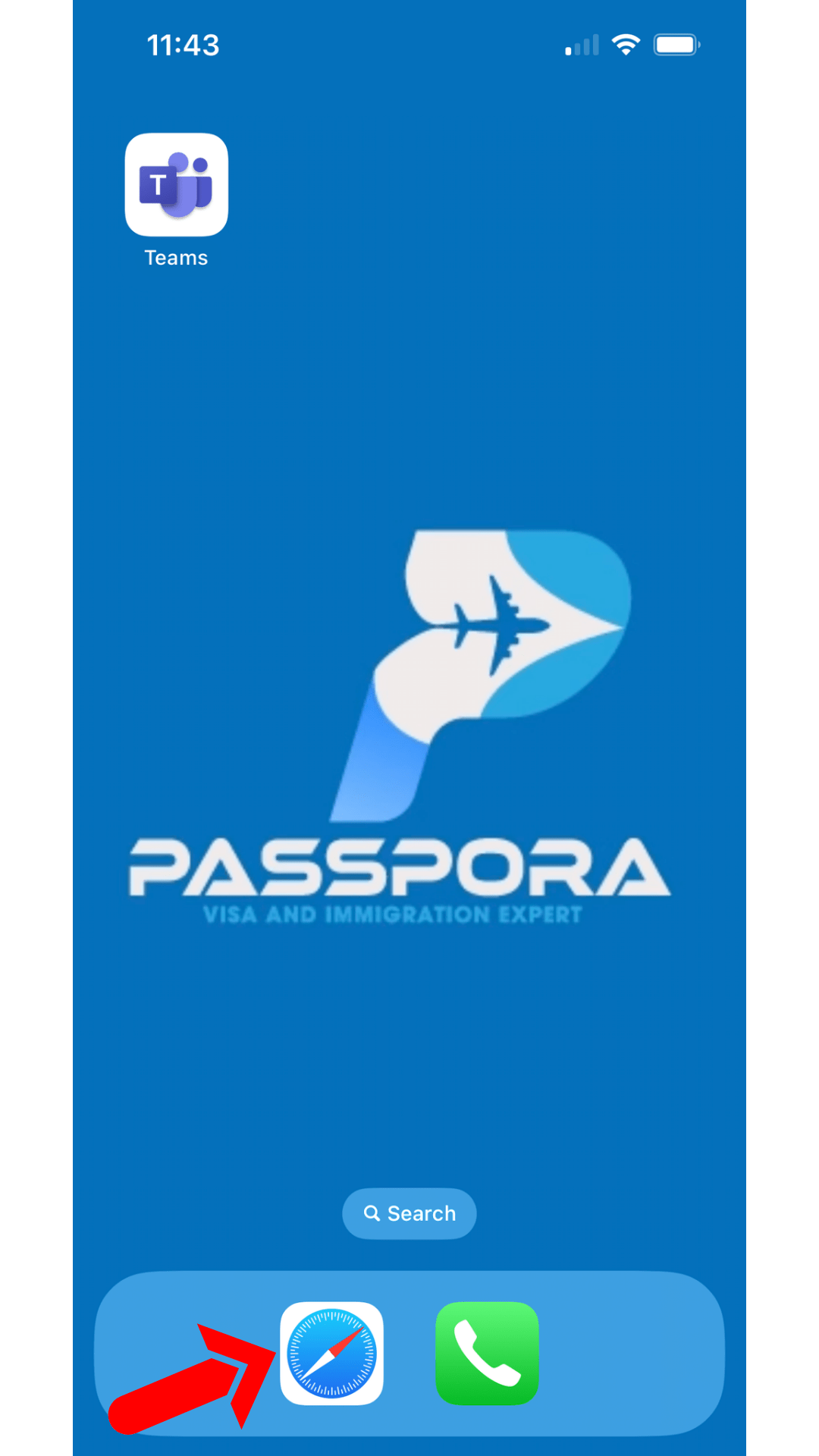
1. Open the Safari browser on your iPhone/iPad
2. Go to the address My.Passpora.com
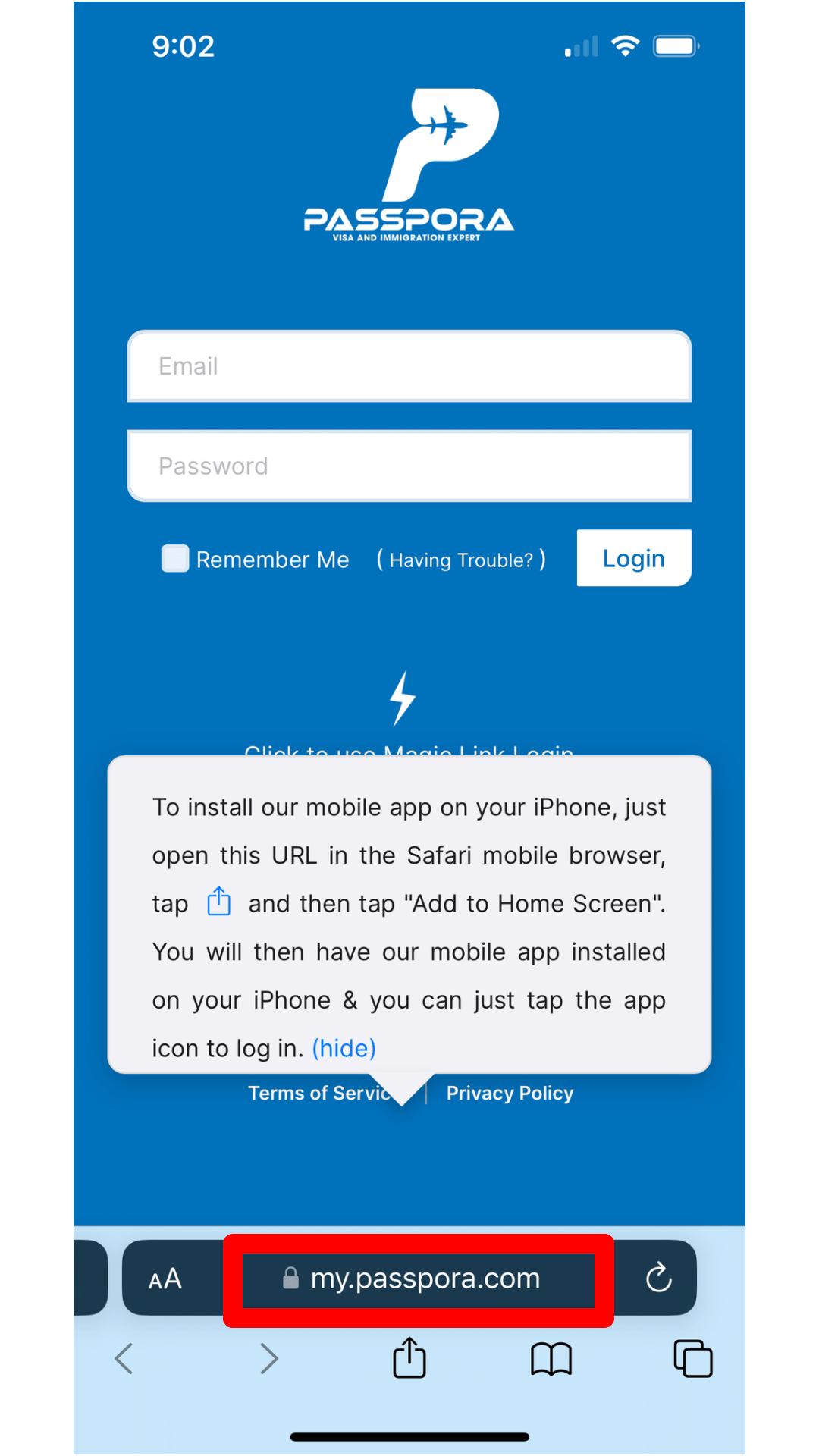
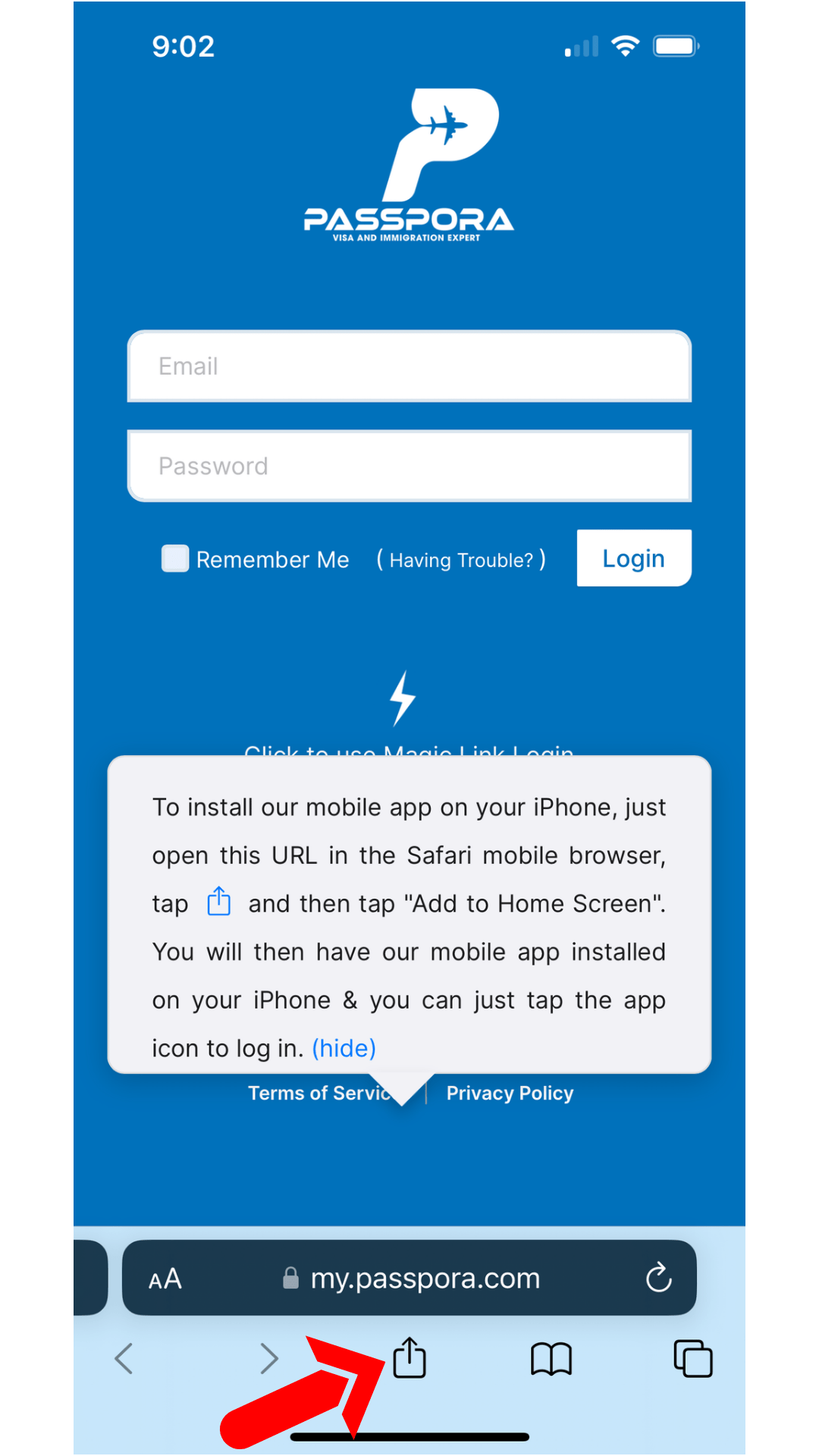
3. Tap the Share button as shown on the screen
4. Scroll down and select Add to Home Screen with the + icon
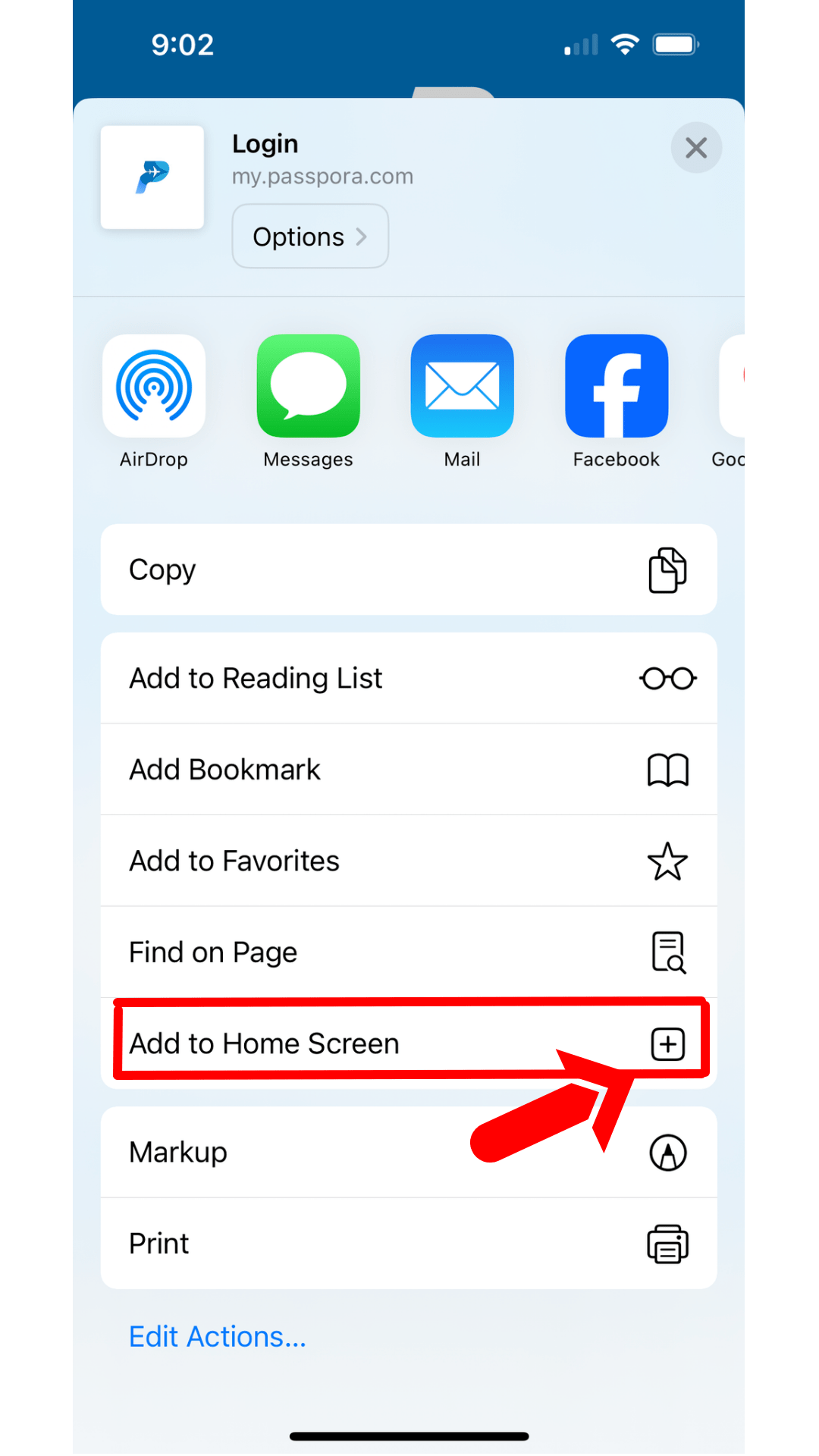
5. Tap the Add button (You can rename the App - the default name is My Passpora)
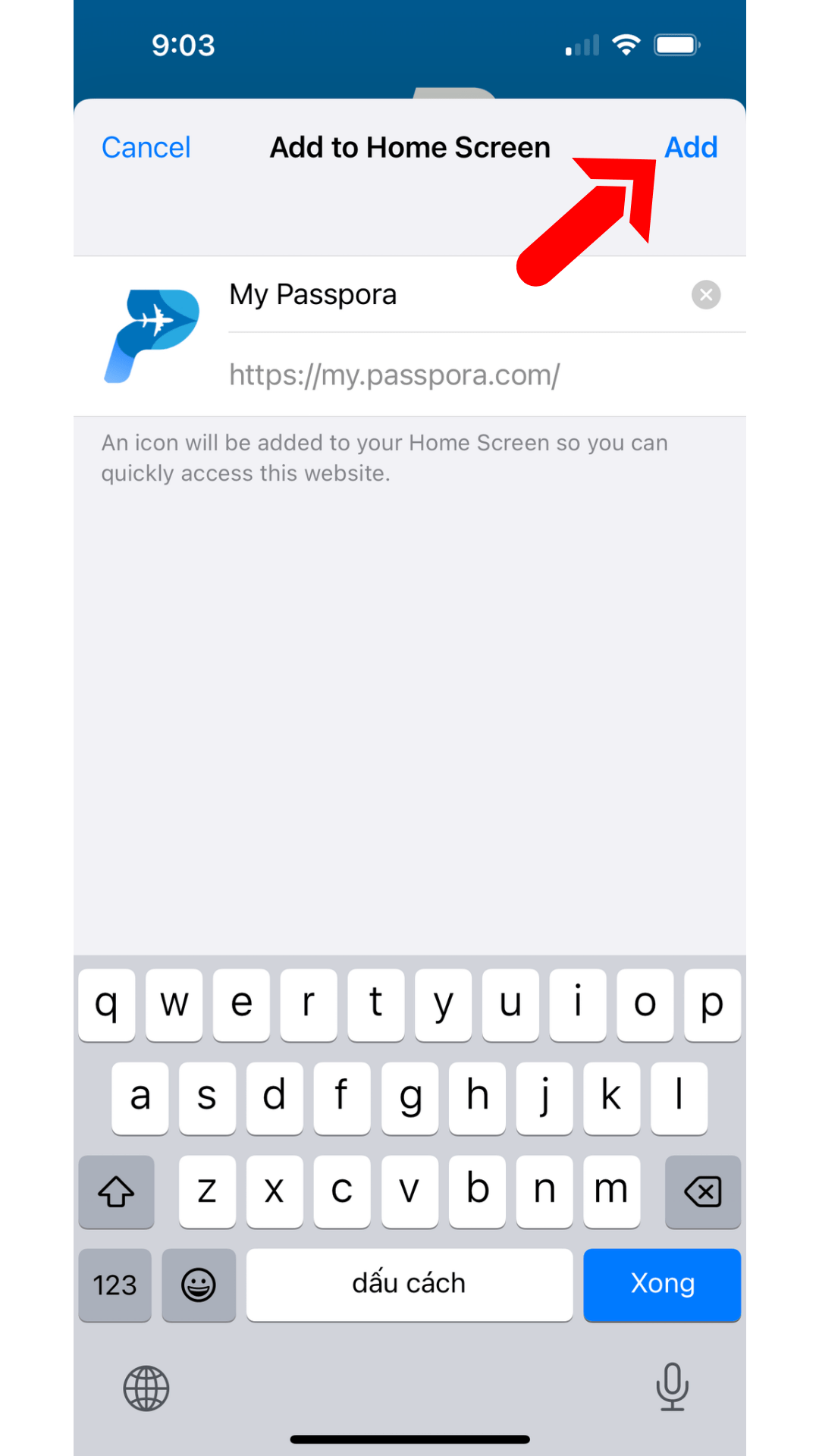
6. You have now finished installing the My Passpora App on your iPhone. With this App, you can:
- View instructions/document checklist/Download application template files
- View application status update screenshots once a week
- Upload documents from your mobile phone or computer to the portal without needing to send via email or share Google Drive links.
- Chat with Huong Nguyen RCIC to ask about your application status.
Helen Nguyen RCIC - Notary Public - Paralegal - Marriage Officiant - ATIO Certified Translator
Make Your Business Online By The Best No—Code & No—Plugin Solution In The Market.
30 Day Money-Back Guarantee
Say goodbye to your low online sales rate!